Same Song, Different Mix: Comparing Versions Before You Download
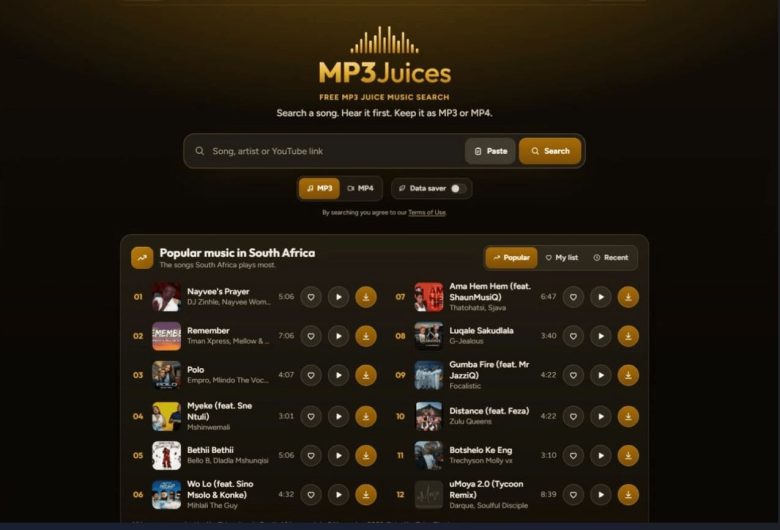
The first time you hear two versions of the same song back to back, something odd happens: the one you thought you knew can suddenly sound like a cover by someone else. A remaster pushes the vocals forward, a live take slows the tempo, and a radio edit trims the intro you loved. That surprise is the whole reason to compare versions before you commit a file to your device. On a free search and download platform like mp3juices.art, you can find multiple takes of the same track, preview them in sequence, and only then decide which file deserves your storage.
This is a comparison workflow, not a buying guide. The goal is to help detail-oriented listeners hear the differences that matter, note them plainly, and label a winner before downloading.
Why the Same Song Sounds Different Across Versions
Every version of a song is a set of decisions made by someone in a studio. Those decisions stack up: the mix balances instruments, the master sets overall loudness, and the release format can change how much dynamic range survives. Two files with identical titles can therefore carry completely different listening experiences.
Loudness is the most common culprit. A modern remaster often raises the average level so it competes on streaming playlists, which can flatten quiet passages and make cymbals sound harsh. An older master may be quieter but breathe more.
Mix, master and edit are three different things
- Mix: the balance between vocals, drums, bass and instruments. A remix can move a guitar solo to the front or bury a backing vocal.
- Master: the final polish and loudness applied to the whole track. Remasters usually aim to sound clearer on phones and earbuds.
- Edit: a shortened or cleaned version made for radio, film or a single release. Intros, bridges and profanity are the usual casualties.
Live takes add a fourth variable: the room, the crowd and the night itself. A live version is not a worse studio version; it is a different document of the song.
How to Preview Versions Back to Back Without Confusion
The trick to fair comparison is controlling your variables. If you switch versions on different devices, at different volumes, or with different headphones, you are testing the gear as much as the music.
Start by searching the song title on mp3juices.art and scanning the results for alternate labels: remaster, live, radio edit, extended, acoustic, or a year in parentheses. The platform lets you listen before downloading, which is exactly the feature this workflow depends on.
A simple back-to-back routine
- Pick one listening device and leave the volume fixed for the whole session.
- Play thirty seconds of version A, then the same thirty seconds of version B.
- Repeat with a louder section, such as a chorus, to test how each version handles peaks.
- Note one difference per pass instead of trying to catch everything at once.
Keep the volume constant between versions. Louder almost always sounds better at first, so an unfair level comparison will make the loudest master win by default.
What to Listen For and What to Write Down
You do not need studio training to hear version differences; you need a short checklist. The same four or five observations will separate most versions of a song.
The short comparison checklist
- Vocal position: is the singer in front of the band or level with it?
- Low end: does the bass feel tight and defined, or boomy and loose?
- High end: are cymbals and hi-hats smooth, or sharp enough to fatigue your ears?
- Dynamics: can you still hear the quiet parts, or is everything pushed to the same level?
- Structure: is anything missing, added, or shortened compared with the version you know?
Write your notes as plain comparisons, not judgments: “Version B has a wider stereo image but a thinner bass” is more useful later than “Version B is better.” When you return to the platform days later, those notes are what help you pick the right file again.
A real comparison table can keep the decision visible:
| Version | Vocal balance | Loudness feel | Structure |
|---|---|---|---|
| Original album mix | Balanced | Moderate | Full length |
| Remaster | Forward | Loud and dense | Full length |
| Radio edit | Forward | Loud | Shortened intro |
| Live take | Variable | Natural peaks | Extended ending |
Choosing the Winner and Labelling It Clearly
Once you have heard the candidates, decide based on how you actually listen. A commute through earbuds rewards a clear, forward vocal; a quiet evening on speakers rewards dynamics and a wider mix. The best version is the one that fits your listening context, not the one with the most impressive technical description.
Label the winning file the moment you save it. A filename like “Song Title — remaster, vocal-forward” saves you from re-running the whole comparison next month. If you use a personal list feature to keep candidates together, add a short note beside each entry so the reasoning survives.
One practical warning: avoid stacking several loud remasters in a row at high volume. Dense masters are tiring over long sessions, and fatigue makes every version sound worse than it is. Take a short break between comparisons and your ears will give you more reliable answers.
For listeners who want to compare a whole catalogue rather than one song, the same method scales: browse by artist or genre, preview a handful of tracks, and only download the versions that passed your checklist. The mp3juices.art search flow keeps previewing and downloading in one place, so the comparison never gets interrupted by a separate tool.
Frequently Asked Questions
Is a remaster always better than the original mix?
No. A remaster is usually louder and clearer on small speakers, but it can reduce dynamic range. If you value quiet passages and natural peaks, the original mix may suit you better.
How many versions should I compare at once?
Two or three is enough for most songs. More than that and the differences blur together; compare a shortlist, pick a winner, and move on.
Does the file format affect what I hear?
It can. A heavily compressed file may soften cymbals and bass detail, which makes version differences harder to hear. Compare formats consistently so you are judging the mix, not the encoding.
Can I preview a song before downloading it?
Yes. The platform is built around listening first, so you can play a track, compare it with another version, and download only the file you chose.